
Chennai’s Old Mahabalipuram Road has always adapted quickly to technology shifts. From Madhya Kailash, Taramani, Perungudi, Thoraipakkam and Sholinganallur to Navalur, Siruseri, Kelambakkam and Thiruporur, OMR is not just a road. It is Chennai’s working technology corridor.
Thousands of software professionals, college students, freelancers, startup teams, UI designers, testers, and self-taught programmers live, study, commute, and work along this stretch every day. For this community, the way programming is done is now changing again.
The latest updates from Cursor make one thing clear: coding is moving from a manual editor-based workflow to an AI-assisted development workflow.
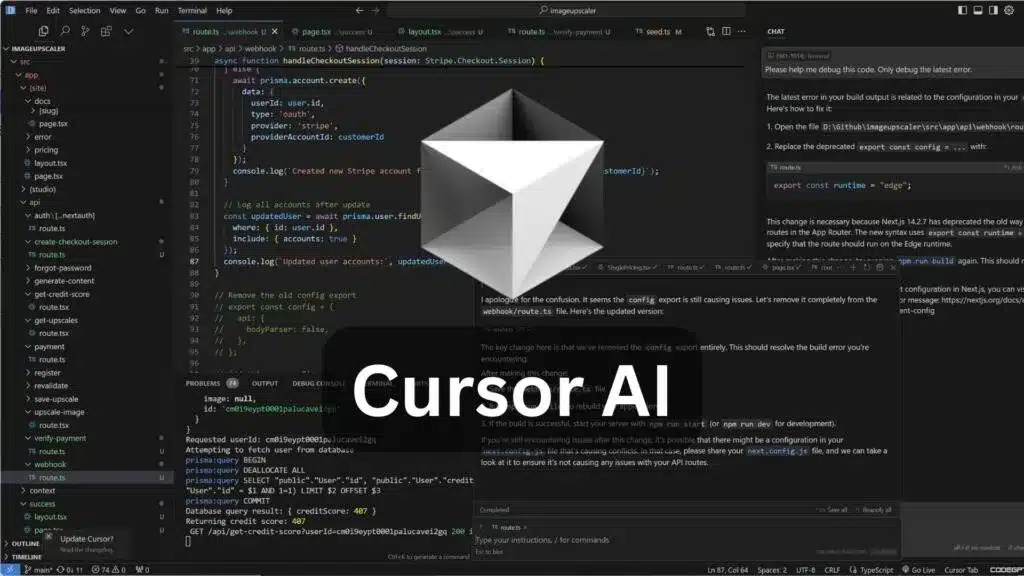
Cursor recently introduced newer capabilities such as Canvas Design Mode, context usage visibility, Composer 2, agentic development features, cloud agents, frontier model access, and deeper project-level assistance. This means Cursor is no longer just a place to type code. It is becoming a full software-building environment where developers can write, understand, debug, refactor, document, and improve code with AI support inside the same workspace.
For OMR’s IT workforce and student community, this is not a small update. This is a signal to shift early.
Why This Matters for OMR’s IT Corridor
OMR is filled with people connected to technology. Some work in large IT companies. Some are in product startups. Some are freelancers. Some are college students learning programming. Some are UI/UX designers trying to move into frontend development. Some are beginners trying to build their first website, app, automation script, or portfolio project.
For all of them, Cursor offers one major advantage: it reduces the distance between idea and working code.
Traditional programming usually involves switching between multiple tools:
- Code editor
- Terminal
- Browser
- Documentation
- Stack Overflow
- YouTube tutorial
- AI chatbot
- Git tool
- Error search
- Project folder
This constant switching breaks focus. Cursor brings much of this work into one environment.
You can write code, select code, ask questions, debug issues, understand project structure, generate improvements, refactor files, and continue working without leaving the editor.
- For a daily developer, this saves time.
- For a student, this improves learning.
- For a beginner, this reduces fear.
The $20 Question: Why Around ₹2,000 a Month Can Be a Serious Productivity Investment
Cursor Pro is priced at $20 per month. For Indian users, that roughly comes around the ₹2,000 range after currency conversion, payment variation, and taxes.
At first, ₹2,000 per month may feel like a software expense. But for a developer, student, freelancer, or small team, it should be seen differently. It is not just a subscription. It is a productivity multiplier.
For around ₹2,000 a month, you are getting an AI-assisted coding environment that can help with:
- Code explanation
- Bug fixing
- Project understanding
- Refactoring
- Documentation
- UI development
- Logic correction
- File-level changes
- Faster debugging
- Code cleanup
- Learning support
- Daily development assistance
Used properly, Cursor can feel like having a small technical support team sitting inside your editor. Not literally ten employees, but practically, it can give one individual the working leverage of many helpers: one to explain, one to debug, one to refactor, one to document, one to review, one to suggest structure, one to improve UI, one to trace errors, one to clean code, and one to help you move faster.
That is why ₹2,000 per month should not be compared with entertainment subscriptions or casual software tools. It should be compared with the value of saved hours, faster learning, better output, and improved project delivery.
- For freelancers, even one small project improvement can recover that cost.
- For students, one better project can improve portfolio quality.
- For working developers, a few saved hours every month can justify the subscription.
- For beginners, reduced frustration itself is valuable.
Why Beginners Should Not Wait
Many beginners think tools like Cursor are only for advanced developers. That is a mistake. Beginners actually need this kind of support the most.
When someone is learning programming, they struggle with small but frustrating problems:
- Syntax errors
- Missing brackets
- Wrong file paths
- Broken imports
- Unclear terminal messages
- CSS layout issues
- JavaScript errors
- Package installation problems
- Git confusion
- Folder structure mistakes
A normal code editor only shows the error. Cursor can help explain the error. That difference matters.
A beginner can ask:
- “What does this error mean?”
- “Which line is causing the issue?”
- “Explain this function in simple words.”
- “Make this code cleaner.”
- “Add comments so I can understand it.”
- “Why is this button not working?”
- “Convert this repeated code into a reusable function.”
This turns the editor into a learning space. Instead of copying random answers from the internet, beginners can learn from their own project files. That is a better way to learn programming.
Why College Students on OMR Should Adapt Early
OMR has access to colleges, training centres, IT companies, internship opportunities, startup environments, and tech communities. Students in and around this belt should not treat programming as only an exam subject. They should build.
Cursor can help students move from theory to real project work.
- A student learning HTML and CSS can build cleaner landing pages.
- A student learning JavaScript can understand DOM errors faster.
- A student learning Python can debug scripts better.
- A student learning React can understand components, props, and state inside the actual project.
- A student preparing for final-year projects can use Cursor to structure, document, test, and explain the codebase.
This is important because companies do not hire students only for knowing definitions. They look for practical ability.
- Can you build?
- Can you debug?
- Can you understand existing code?
- Can you explain your project?
- Can you improve messy code?
- Can you work with modern tools?
Cursor helps students develop these habits early.
Students should not use Cursor to blindly generate project code and submit it without understanding. Write the code, ask Cursor to review it, understand the correction, test the output, and document what you learned. That makes Cursor a learning accelerator, not a shortcut.
Students and beginners can start here
Moving from CLI-Heavy Workflows to GUI-Based Cursor
Command-line tools are powerful. Developers should learn them. Git, npm, package managers, build commands, deployment commands, and terminal basics are still important.
But a CLI-heavy workflow can be intimidating for beginners. Before they even understand programming logic, they are forced to remember commands, flags, paths, installation syntax, package errors, and environment issues. This creates unnecessary friction.
Cursor gives a better balance. It is GUI-based, visual, and project-friendly. You can see files clearly. You can select code. You can ask questions directly. You can apply changes carefully. You can review edits before accepting them. You can still use the terminal when needed.
This is the right direction for beginners and students. Do not make the command line the first wall. Learn programming first. Use the terminal gradually. Let Cursor handle the visual workflow and AI assistance while you build confidence.
GUI-based development is not less professional. It is more accessible, more understandable, and often faster.
Why Frontend Developers and UI/UX Designers Should Care
OMR has a strong frontend, web design, UI/UX, product design, and digital development community. For them, Cursor is especially useful.
Frontend work includes:
- HTML structure
- CSS layout
- Responsive design
- JavaScript interaction
- React components
- Forms
- Animations
- Accessibility
- API integration
- UI cleanup
- Cross-browser behaviour
Cursor can help with all of these. A UI designer moving into frontend coding can use Cursor to understand how a layout becomes code. A frontend developer can use it to refactor components, clean CSS, fix responsiveness, and improve naming. A beginner can use it to understand why a layout breaks on mobile.
For a community like OMR, where many people are connected to IT, startups, digital services, and web development, this matters.
Cursor Is Becoming More Than an Editor
The recent Cursor updates show a clear direction. The tool is moving toward agentic software development.
That means developers will increasingly assign coding tasks, ask agents to inspect code, improve files, create artifacts, understand context usage, and support larger project workflows.
This is not the same as old autocomplete. This is project-level assistance.
That is why developers should not wait until these workflows become standard everywhere. The people who start early will adapt faster.
In the same way earlier developers adapted from Notepad to IDEs, from FTP uploads to Git, from static pages to frameworks, and from local-only coding to cloud workflows, the next shift is AI-assisted development. Cursor is one of the strongest tools in that shift.
The Right Way to Use Cursor
Cursor should not replace thinking. It should improve thinking.
The wrong way:
- Ask Cursor to generate everything.
- Copy without reading.
- Submit without testing.
- Depend on AI for every line.
The right way:
- Use Cursor to understand.
- Use Cursor to debug.
- Use Cursor to review.
- Use Cursor to refactor.
- Use Cursor to document.
- Use Cursor to speed up repetitive tasks.
- Test every change.
- Learn from every suggestion.
This is how students and developers can gain real value.
Why OMR Professionals Should Try It Now
For OMR’s IT professionals, the pressure is clear: faster delivery, cleaner code, better documentation, quicker debugging, and continuous learning.
Cursor can help in daily work by reducing repetitive effort. It can help with:
- Reading unfamiliar codebases
- Tracing bugs
- Cleaning old files
- Writing helper functions
- Generating documentation
- Improving frontend layouts
- Understanding backend flow
- Reviewing logic
- Creating small automation scripts
- Preparing project notes
For a developer spending hours every week on repetitive coding and debugging tasks, Cursor Pro’s monthly cost can become a practical investment. The value is not only in the tool. The value is in the time and mental energy saved.
A Practical Message for Students, Freshers, and Developers
- If you are a college student on OMR, do not wait until final year to learn modern tools.
- If you are a fresher, do not depend only on classroom syntax.
- If you are a frontend developer, do not restrict yourself to manual trial and error.
- If you are a freelancer, do not waste billable hours on repetitive fixes.
- If you are a beginner, do not let terminal errors and setup confusion stop you from learning.
Start using tools that match the current direction of software development. Cursor is one such tool.
Final Takeaway
OMR is Chennai’s IT corridor. The people living, studying, and working here should be among the first to adapt to modern AI-assisted coding workflows.
Cursor’s latest updates show that coding is moving toward intelligent, agent-assisted, project-aware development environments.
For around ₹2,000 per month, Cursor Pro can give developers, students, and beginners a serious productivity advantage. Used properly, it can feel like multiplying your individual capacity with the support of many technical assistants inside one editor.
This is not about replacing learning. This is about learning faster, building better, debugging smarter, and adapting earlier.
For OMR’s students, developers, freelancers, startup teams, and tech learners, this is the right time to shift.
Start using Cursor here — use this opportunity to upgrade the way you learn, code, and build.